
Turn “maybe later” into “bought it”
Customers save what they love. When a saved product gets cheaper or comes back in stock, they hear about it, if they asked to.
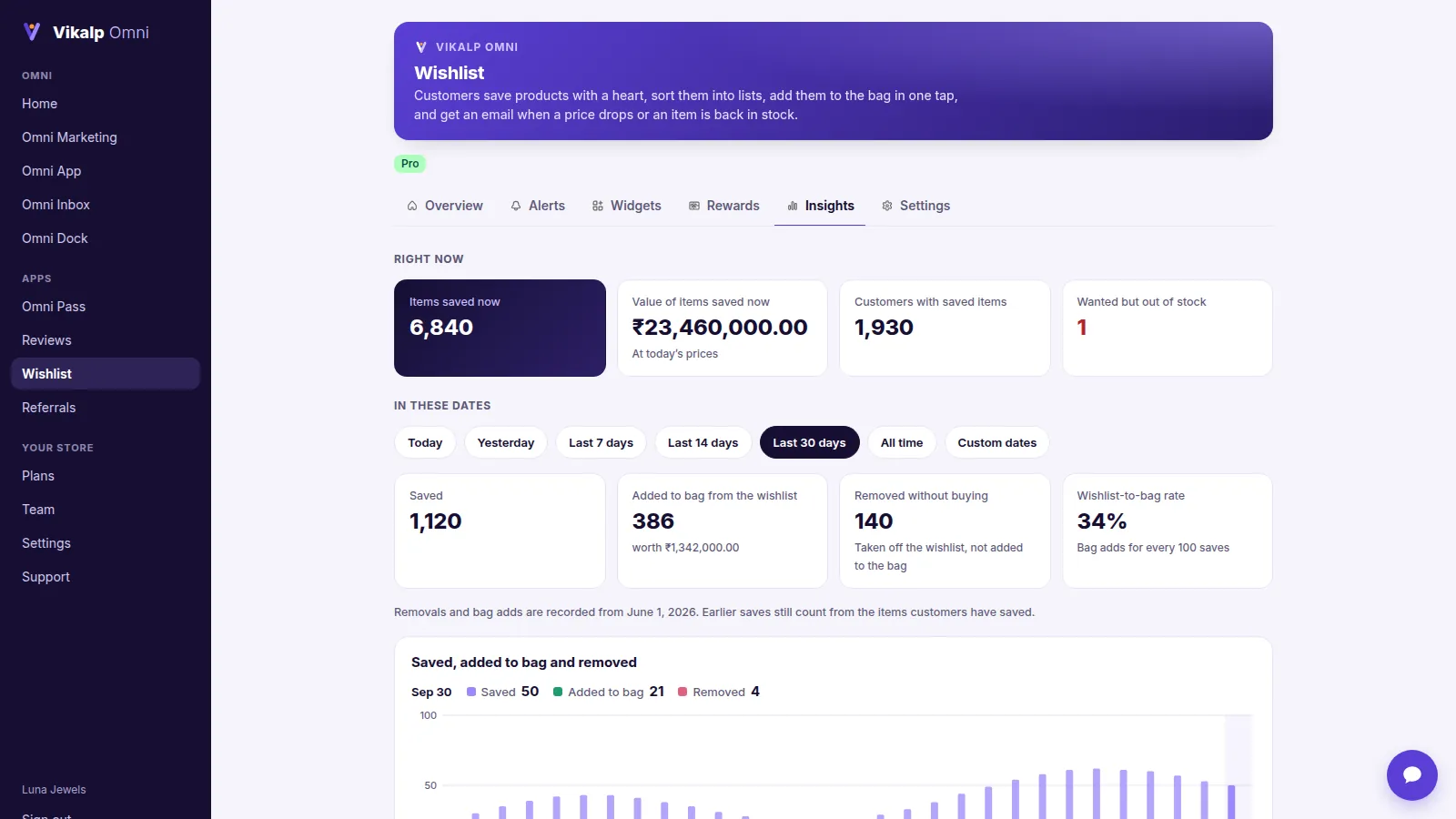
What you get
Saves across devices
Signed-in customers see their saved items on every device and in your app. Visitors keep them on that phone or computer.
Lists, sharing and gift lists
Named lists, shared by message, email or link. On a gift list, friends tick what they’ll buy so nobody buys the same gift twice.
Price-drop, back-in-stock and low-stock alerts
By email from your own address to customers who asked, and as notifications to customers who allowed them.
Hearts everywhere
On product pages, product cards and in your header.
Insights that tell you what to do
Sales from saved items, which alerts sold, what’s wanted while out of stock, and suggestions: what to restock, reorder or try at a lower price.
In every Vikalp Omni plan, from $69 a month · free trial · billed through Shopify
Up and running in minutes
- Switch on Online Store → Themes → Customize → App embeds → Vikalp Omni (the header heart and card hearts come with it).
- Add a page called Wishlist with the wishlist block.
- Switch on price-drop, back-in-stock and low-stock alerts.
Questions
Is an account needed to save?
No. Visitors save on one device; signing in keeps the list everywhere.
Who gets alerts?
Only customers who asked to hear about price drops or restocks.